testing (6)
-
Rock Light
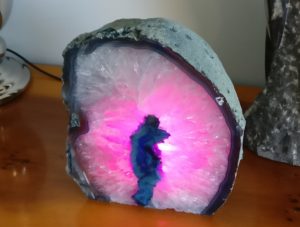
This is one of those little projects that didn't need to be done, or could have been done very simply. Despite a lot of feature creep, everything just came together at the right time, and I'm really pleased with the results.
-
Retro Challenge 2017/4 - Keyboard Investigations
After a visual check of the keyboards (see this post), I had a couple of questions, which were do the keyboards work? and how do the keyboards work?
On the basis that neither of the Alphameric had their EPROM windows covered, and that one of the Cherry keyboards had already been modified, I chose the other Cherry one as the most likely to work. After opening it up (again), I checked the 20 pin header. It was quite easy to find out what the 5v and Ground pins were (traceable to the power pins on the logic chips and corresponds to red and black wires on pin 1 & 2!), but the others were going to need something more to diagnose
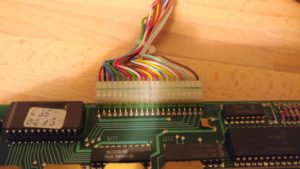
Time to break out the oscilloscope! It didn't take long to discover that the pins 3-9 changed upon pressing a key. Curiously, they didn't didn't change when releasing the key though. Also, depending on which key was pressed, they might not change at all. Pin 9 was most likely to change and pin 3 was least likely to change.
-
RC2014 SD Bootloader Update
Just a quick update to about the SD Bootloader I designed a few posts ago. Well, the PCBs have arrived and last week I took a soldering iron to one of them and gave it a quick test
One side of the board is effectively an Arduino, so without plugging it in to the RC2014, I connected up an FTDI lead and uploaded the Arduino Blink sketch. A quick check with a multimeter and one of the pins was altenating between 5v and 0v. So far, all good!
-
Modern Twist on Analog Dials
These days displays are all digital readouts or multifunction LCD screens that give you indications of pretty much everything that's going on. What seems to be lacking though is a good old fashioned analog dial with a needle pointing at a number. Of course, a dial is normally limited to a single use, but I wanted to see if I could make something that's the best of both worlds.

-
An aDventure in to aProtocol (or LLAP)
I've been messing about with Arduino derived micro controllers, and have been looking for a way to get them to send simple messages to and from each other. Something simpler than TCP/IP (which requires special hardware and relatively large libraries to run it), but more generic and flexible than just connecting an output pin on one device to the input pin on another.
aProtocol (or LLAP as it's also known) as defined on OpenKontrol seems to fill that gap just nicely. So, in 16 lines of code, I got a simple acknowledgement working;
String msg; String reply; void setup() { Serial.begin(9600); Serial.print("aDDSTARTED--"); } void loop(){ if (Serial.available() >= 12){ if (Serial.read() == 'a') { if (Serial.read() == 'D' && Serial.read() == 'D'){ msg = ""; for (byte i=0; i<9; i++) msg += Serial.read(); if (msg.compareTo("HELLO----")) reply = "aDDHELLO----"; // else if ... Serial.print(reply); } } } } -
Hello world!
Welcome to WordPress. This is your first post. Edit or delete it, then start blogging!