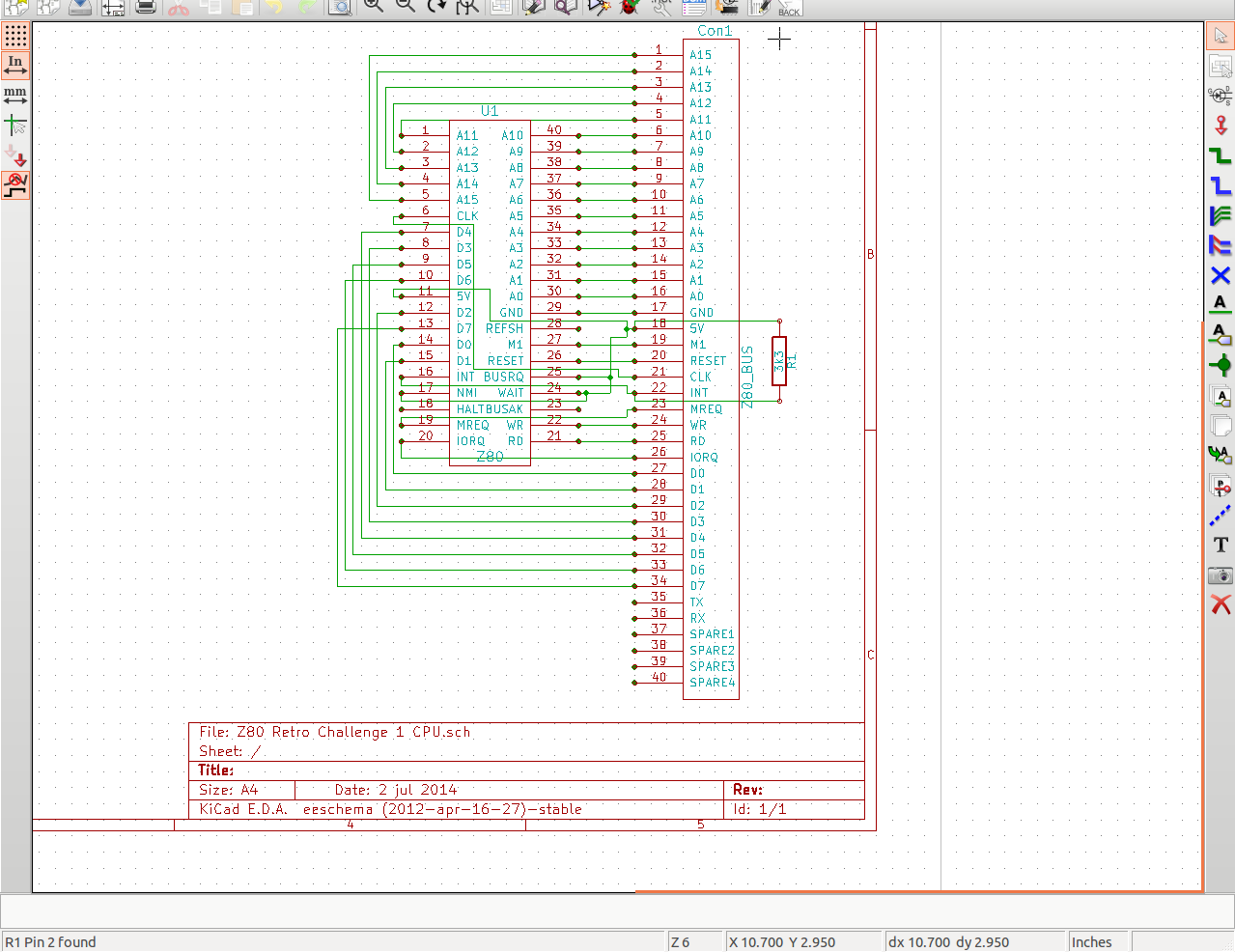
So, this is Day 2 of the Retro Challenge. In case you're wondering what happened to Day 1, well, Day 1 happened to fall on Pub Night, therefore I was better off giving everyone else one day head start than having a go and probably putting myself back at least a week! If you've read my posts on Retro Challenge so far, you'll know my first priority is to get about half a dozen or so Printed Circuit Boards designed and sent off to the fabricators. The tool I am using to do this is KiCad, and the basic workflow is lay out the electrical circuit schematic, create a list of component, match the components up to footprints, lay the footprints out on a board, join up the various pads then create gerber (manufacturing) files. I have decided to build my Z80 computer in a modular format, with lots of fairly basic PCBs to make up the whole thing. This should give me flexibility in how I use it and what I do with it going forward. It also makes the boards easy to design and lay out, and, if necessary, easy to troubleshoot too. So, with that in mind, I set out this evening with the goal of making the electrical schematic for at least 5 boards. Starting with the CPU board, which comprises of 1 chip, 1 connector and 1 resistor. Simples! KiCad uses libraries of components, so when you lay out a circuit you can pick a resistor, a capacitor, voltage regulator etc. It's got loads of chips in the default library that comes with it, but, as I discovered this evening, no Z80! I tried finding a library on line that had one, but couldn't get anything that worked. So I had to design my own component - a 40 pin IC! Then, the connector I was going to use was for my Z80 bus, and that had my own designed layout, so that's another 40 pin component I had to design! Luckily, a regular resistor was already available! So, join the appropriate pins up, and voila! A schematic!